One-click installation
Choose WordPress, its address and your login details. Installatron prepares the files and database for you, so you can start creating pages in WordPress.
INSTALLATRON + WORDPRESS
Create, clone, back up and update your WordPress website easily, directly from your web hosting account.
No FTP file transfers or manually configured databases. A guided setup walks you through the process, even for your very first website.
Included with our web hosting plans



Your WordPress website. An easier start.
FROM INSTALLATION TO EVERYDAY MANAGEMENT
Installatron brings together useful tools to launch your website and manage it as it grows. Find the controls available for each installation in your hosting control panel.
Choose WordPress, its address and your login details. Installatron prepares the files and database for you, so you can start creating pages in WordPress.
The cloning tool copies an installation, including its files and database, to another location. Develop a new version without starting from scratch.
Find and apply updates for WordPress and supported plugins and themes. Automatic options can be configured where your installation supports them; they are not necessarily enabled by default.
Backup and restore tools let you keep a copy of your installation and return to an available backup. Check the required storage, destination and options offered in your account.
Use a copy of your website to try a theme, plugin or change. Choose a separate testing address and keep your public website apart from your experiments.
Find installations managed by Installatron in one place within DirectAdmin. Review their versions and tools without juggling multiple control panels.
Available options depend on your account configuration and the application. Check your update and backup settings in Installatron. Website copies and backups use your plan’s storage allowance.
Installatron also offers other web applications, including content management systems, forums, galleries and collaboration tools. Browse your account’s catalogue to choose an application that suits your project and hosting.
EASY WORDPRESS INSTALLATION
Open DirectAdmin from your client area, then access Installatron.
Choose WordPress from the catalogue, then enter the domain and login details for your new website.
The wizard completes the setup. You can then open WordPress and start publishing.
The catalogue presents WordPress and opens its installation wizard. Existing installations then appear in your applications list.
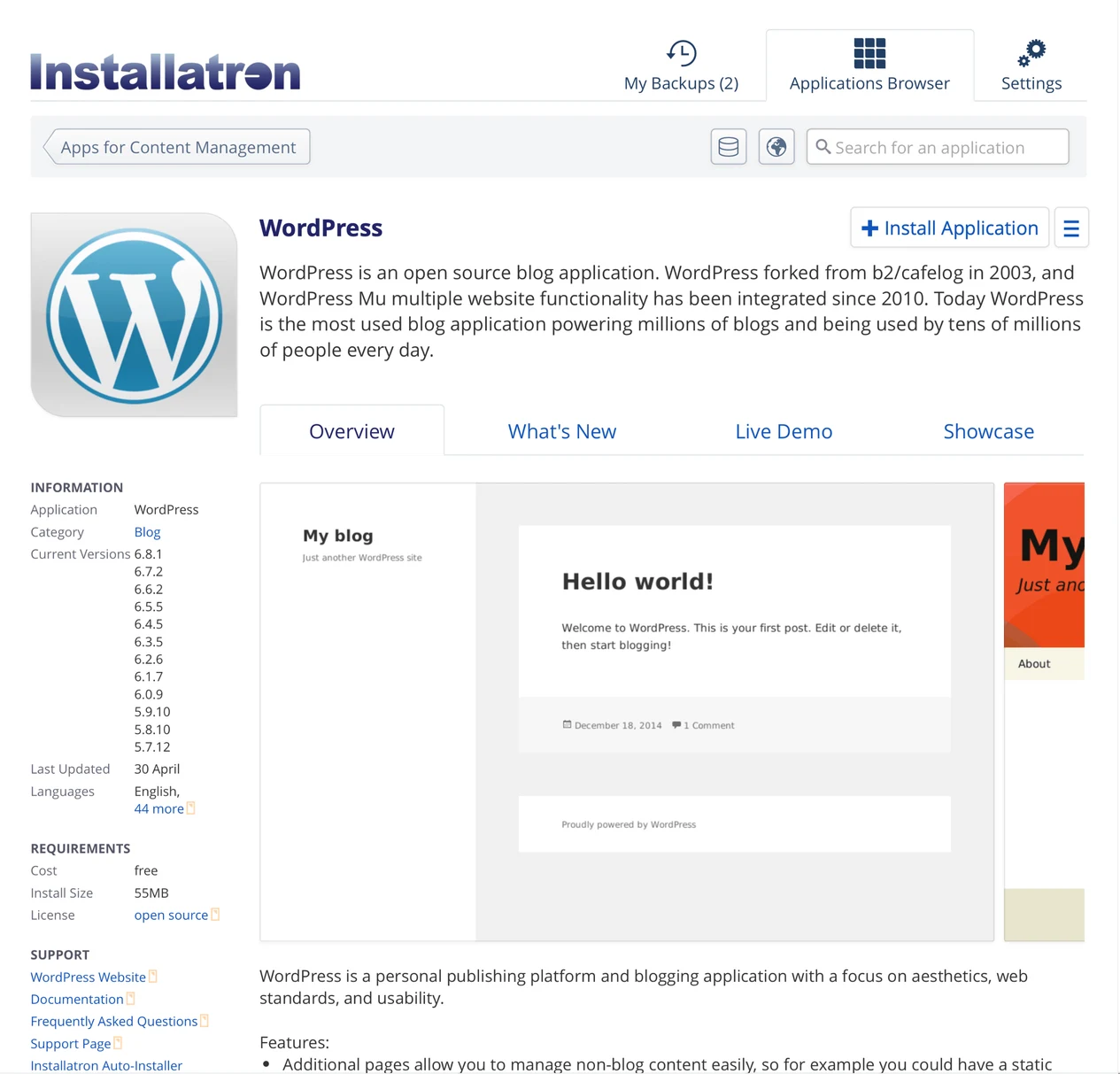
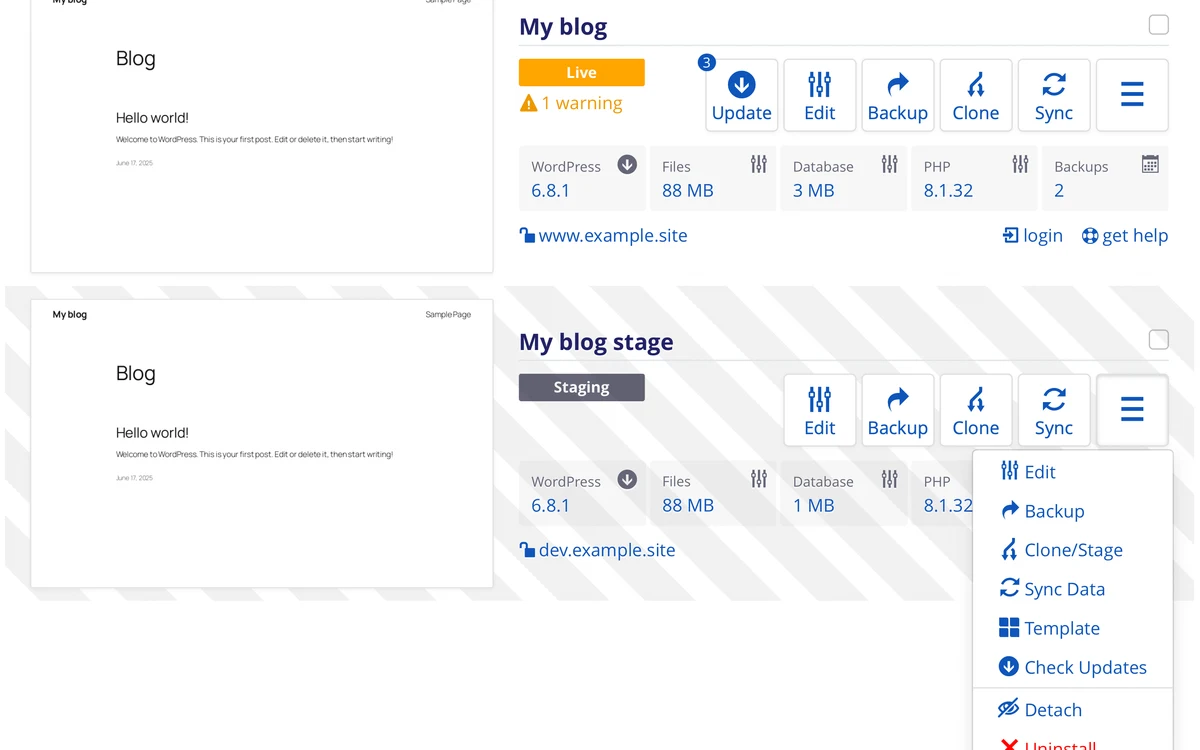
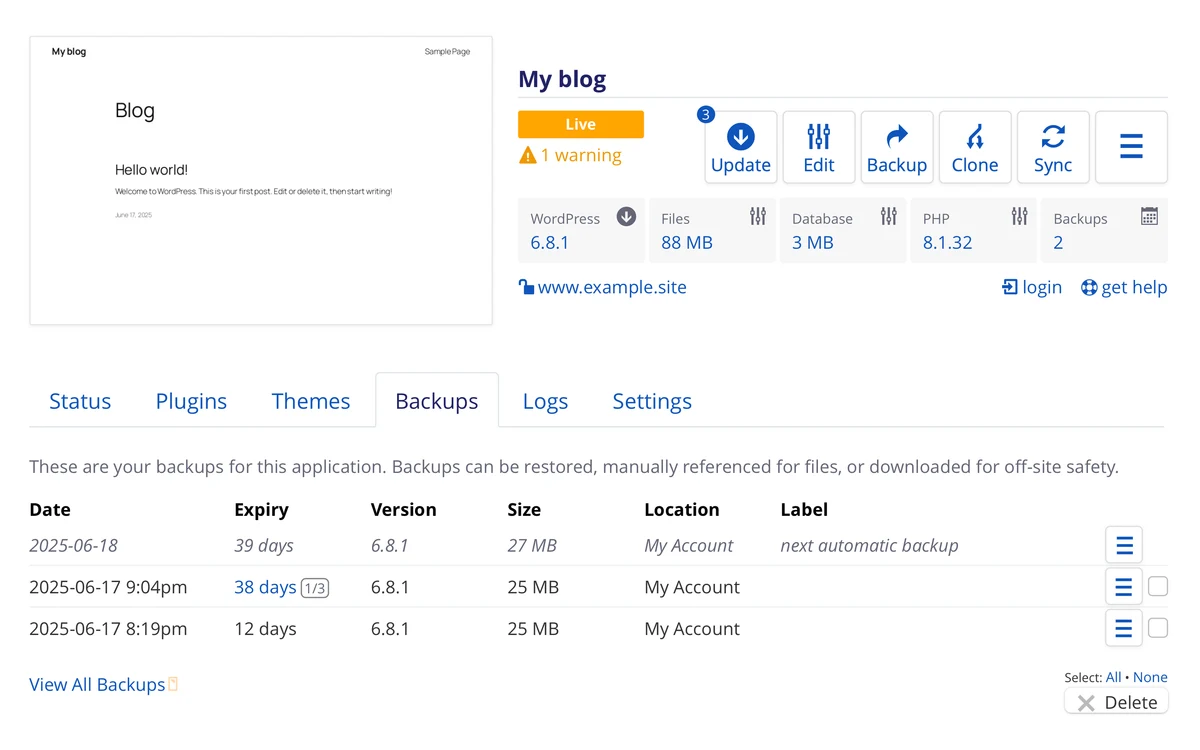
Example screenshots supplied by Installatron. Language, appearance and available options may differ in your account. Installatron.
YOUR HOSTING, YOUR TOOLS
Kebecweb’s Individual, Developer and Enterprise plans include DirectAdmin and Installatron. Choose the resources your website needs, then use the installer in your hosting control panel without buying a separate installation tool.
Your plan’s website and storage allowances still apply. Need help getting started? Our help centre and support are there to assist. The installer makes routine tasks easier; it does not replace website maintenance.
Help CentreIncluded with our web hosting plans
View WordPress hosting plans Compare web hosting plansInstallatron is an application installer and manager available in DirectAdmin. It includes a guided setup for preparing a WordPress installation.
No. Choose your website address and login details in the wizard. Installatron handles the files and database configuration for the new installation.
Installatron is included with Kebecweb’s Individual, Developer and Enterprise web hosting plans. Resource allowances and the number of permitted websites depend on your chosen plan.
Installatron offers cloning for compatible installations where the option is available in the account. Choose a separate address and allow enough storage for the copy. For a store, disable real payments and outgoing customer emails on the test website.
Automatic options depend on the application and account configuration. They are not necessarily enabled by default. Check your installation settings for permitted updates and available backup scheduling and retention options.
The restore tool lets you return to an available Installatron backup where the feature is enabled. Restoration may replace current data, so check the backup’s date and contents before proceeding.
No. Installatron’s catalogue includes several types of web applications. Available applications and versions depend on the catalogue enabled for your account.