
Before you start
- Actual prices, images, references and quantities.
- The sizes and colours sold for variable products.
Prepare a complete product listing
Gather the name, description, price, photographs and shipping information. Choose a unique reference useful for your operations. A clear listing reduces questions about what the customer receives and mistakes during fulfilment.
- Prepare appropriately sized, compressed images with descriptive alternative text.
- Distinguish physical, virtual and downloadable products.
- For sizes or colours with separate inventory, plan a variable product.
Create a simple product
Under Products → Add New, enter the title and content. In Product data, choose Simple product and enter the price. Add the main image, gallery and a relevant category, then preview before publishing.
- Set tax status according to the validated rules for your store.
- Enter weight and dimensions where shipping rates use them.
- For downloads, verify the delivered file and intended access restrictions.
Define variable-product attributes
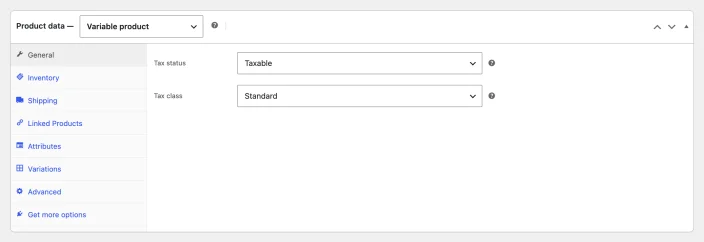
Choose Variable product and open Attributes. Use existing attributes or define values such as Small, Medium and Large for Size. Enable their use for variations where that option appears, then save attributes.
- Avoid adding values that do not correspond to combinations you sell.
- Choose customer-friendly attribute names and values.
- When changing attributes later, check that existing variations still match.
Configure every combination you sell
Under Variations, generate required combinations or add them individually. Expand each variation and enter its data. A variation without a price may not be purchasable; the parent product's price does not replace required variation settings.
- For “Blue / Medium”, check price, availability, image and reference.
- Manage inventory at product or variation level according to actual operations, without mixing the two approaches unintentionally.
- Save variation changes, then update the whole product.
Example: one size and colour
For a blue T-shirt in size M, assign a price and stock to that combination. With variation-level inventory, selling that unit should not arbitrarily reduce every other size.
Check inventory and backorders
Stock management should match how you count actual units. Variable products can use shared stock or separate stock by variation. Backorders allow purchases despite insufficient stock; enable them only when you can fulfil that commitment.
- Test the final unit of a variation on a copy and check inventory after ordering.
- Review notification thresholds and recipients.
- During refunds, decide whether returned goods should actually be restocked.
Test the customer's selection
Open the listing on a phone and in a private window. Select relevant options, add to cart and check price, reference and shipping. Also test an unavailable combination so customers can understand what is purchasable.
- For missing variations, check enablement, price, stock and attributes.
- If old information remains visible, clear the relevant cache without randomly editing data.
- For large catalogues, prepare imports on a copy and keep a backup before processing.
Frequently asked questions
Why is a variation unavailable?
Check enablement, price, stock and matching attributes, then review caching and test in a private window.
Official documentation
Labels and options vary with versions, plugins and your account. Refer to publisher documentation for your configuration.